
Introduction-Most Accurate Online Gamepad Tester
If you’ve ever wondered whether your controller’s analog sticks are drifting a little too far from center—or maybe a stubborn trigger isn’t pulling its weight—then you already know how important a reliable gamepad tester is.
In a world filled with quick “controller test” tools that barely show button presses, finding an accurate, fast, and comprehensive online gamepad tester can feel like hunting for a perfectly balanced joystick. But here’s the good news: our Online Gamepad Tester tool is designed to give you every feature imaginable for diagnosing and fixing controller problems, all in your browser—no downloads, drivers, or secret handshakes required.
In this feature showdown, we’ll dive deep into what makes it the most powerful and precise online gamepad testing tool out there.
Related Post: Top Gamepad Diagnostic Apps: Pros, Cons, and Accuracy (Ultimate 2026 Guide)
Table of Contents
Why Accuracy Matters in Gamepad Testing
Controller precision isn’t just a comfort—it’s a competitive edge.
Gamers rely on pinpoint joystick movement and reliable button input for everything from racing games to platformers and competitive shooters.
An inaccurate or poorly calibrated controller test can mislead users—causing unnecessary replacements or missed issues.
That’s why true accuracy means more than just detecting inputs; it means measuring their exact response values, visualizing analog ranges, and capturing even the smallest trigger variations.
Our tool uses the latest HTML5 Gamepad API, updated across browsers, ensuring precise input mapping for:
- Xbox controllers (One, Series X/S)
- PlayStation controllers (DualShock, DualSense)
- Nintendo Switch Pro controllers
- USB & Bluetooth gamepads of all kinds
When we say “accurate,” we mean engineering-grade precision, visible in real time.
Key Features That Set This Online Gamepad Tester Apart
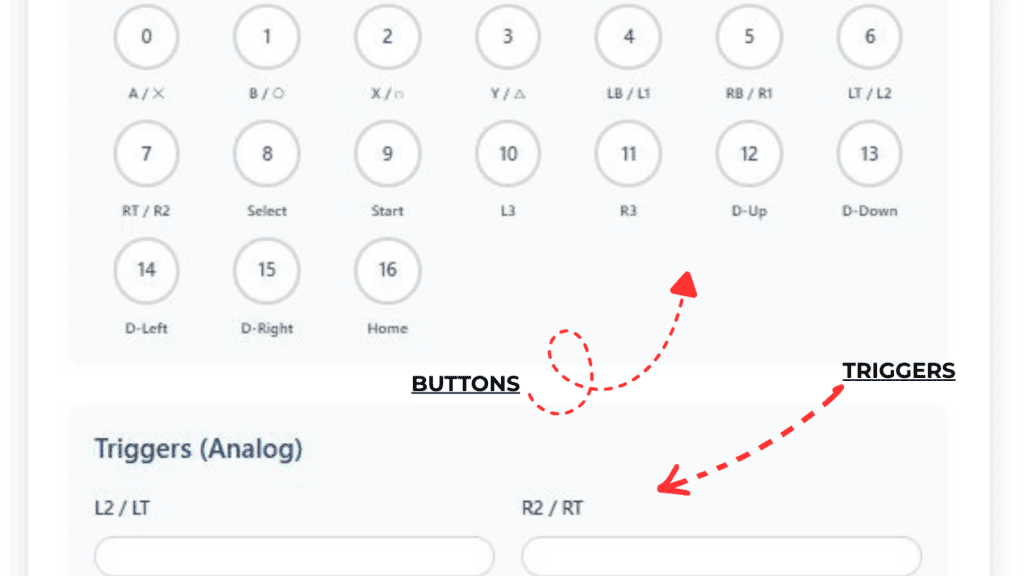
Let’s explore what makes this tool uniquely capable. Each feature is optimized to give clear, actionable feedback about your controller’s health and accuracy.
Real-Time Input Detection
- Instant feedback: Every button press, analog tilt, and trigger pull is captured and displayed live.
- Color-coded visualization: Active buttons glow on-screen; analog movements draw dynamic rings showing precise movement angles.
- Latency monitoring: Detects delay between physical press and digital response, helping identify potential input lag.
Example: Press your Xbox A or PS Cross button—watch the tester light it up instantly with a millisecond-level timestamp.
Advanced Joystick Calibration and Dead Zone Mapping
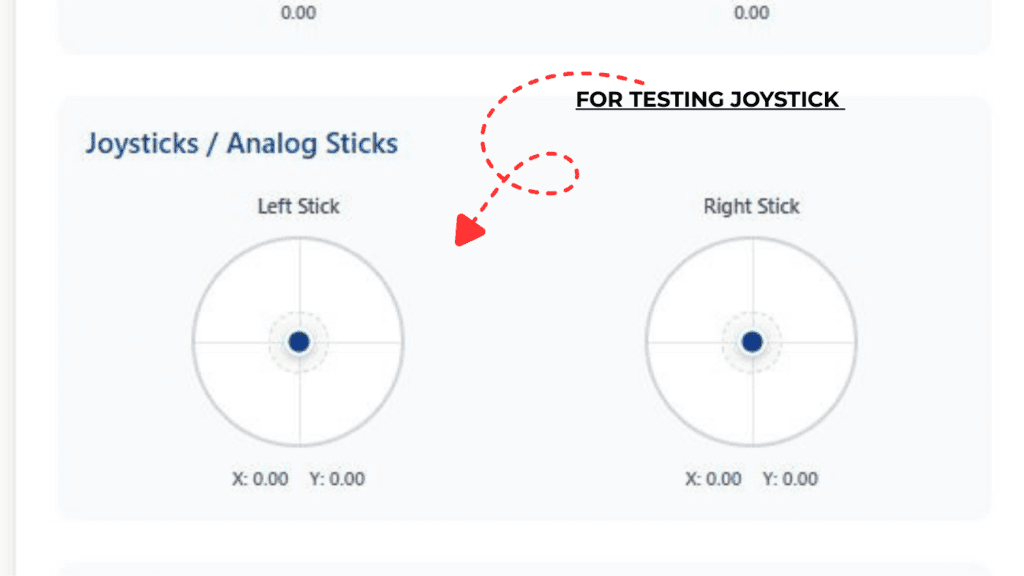
Joystick drift is a gamer’s silent nemesis. Our tester fights back with detailed calibration visualization.
- Dual-axis monitoring: Displays exact X/Y axis values ranging from -1.000 to +1.000.
- Adjustable dead zone view: Easily see where your joystick returns to neutral—and if it doesn’t, you’ve got drift.
- Smoothness graphs: Continuous line tracing helps visualize stick wobble or sensitivity inconsistencies.
Bonus: Compare both sticks side by side for mirror calibration consistency—perfect for symmetrical stick designs.
Pressure-Sensitive Trigger Visualization
Controller triggers aren’t simple on/off switches anymore. They measure how much they’re pressed—a must for racing or action games.
- Analog trigger scale: See real-time pressure readings from 0.00 to 1.00.
- Response curve monitoring: Detect stiff triggers or inconsistent pressure values.
- Cross-platform uniformity: Works equally well on PlayStation adaptive triggers, Xbox analog triggers, and third-party units.
If your right trigger hits 0.95 consistently while the left only reaches 0.75, you’ll know exactly where to recalibrate or clean.
Full Button Press and Vibration Feedback
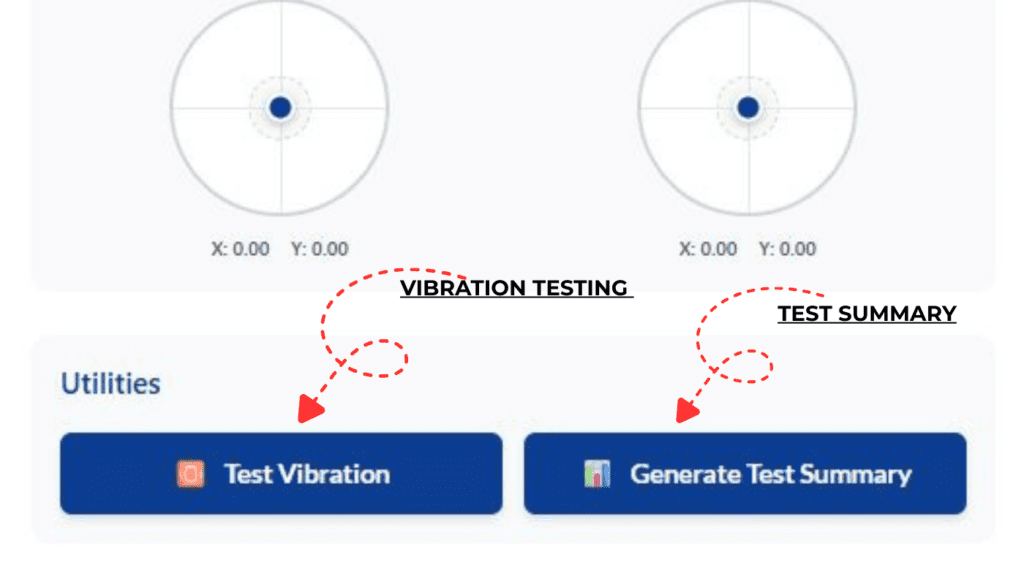
Buttons are more than mechanical clicks—they’re input signals you can visualize and feel.
- Button mapping view: Every button lights up instantly on contact.
- Vibration control test: Check if your rumble motors respond properly and compare left/right motor intensity.
- Pressure data (for compatible pads): Shows variable pressure on trigger-like buttons (e.g., PS2/3 analog buttons).
Because vibration isn’t just fun—it’s part of verifying full controller health.
Multi-Controller Support
Need to test multiple gamepads simultaneously? No problem.
- Up to 4+ controllers at once: Perfect for co-op setups, tournaments, or developers.
- Individual controller panels: Each one gets its own visual feedback and mapped index ID.
- Automatic detection & hot-plugging: Connect, disconnect, and retest without refreshing the page.
When testing with friends (or QA teams), everyone’s inputs stay clearly separated and trackable.
Cross-Browser and Cross-Platform Compatibility
This gamepad tester embraces true universality.
- Works on Chrome, Edge, Firefox, Safari, and Opera.
- Compatible across Windows, macOS, Linux, Android, iOS (with supported browsers).
- Fully based on HTML5 Gamepad API: No downloads, drivers, or extensions required.
It’s the definition of plug, play, and test anywhere.
Why It’s the Most Accurate: Technical Deep Dive
The engine behind the tool operates directly with the browser’s navigator.getGamepads() interface, pulling raw data from connected controllers.
Here’s what sets its precision apart:
- Raw Analog Data Capture:
Instead of rounded integer values, it records up to three decimal points of analog sensitivity. - Synchronized Refresh Rate:
Updates input readings at up to 120 frames per second—matching modern display refresh rates. - Automatic Normalization:
Adjusts axis values to prevent false-positive drift readings caused by firmware imperfections. - Debounce Filtering Algorithm:
Filters out micro-vibrations or false readings that often occur on older or custom-built gamepads. - Input History Logging:
Keeps short-term logs of previous inputs for comparison—handy for developers or when troubleshooting intermittent issues.
Combined, these systems produce a level of accuracy often found in lab testing environments but now conveniently embedded in your browser.
How to Use the Gamepad Tester – Step-by-Step Guide
Testing your controller takes less than a minute.
- Connect your controller.
- Plug it in via USB, or pair Bluetooth controllers via your OS settings.
- Open the Gamepad Tester page.
- The tool will automatically detect your device.
- Observe real-time readings.
- Move joysticks, press buttons, pull triggers—watch live feedback appear instantly.
- Check for symmetry and drift.
- Ensure analog sticks return to zero when released.
- Test vibration and analog pressure.
- Activate rumble engines or measure trigger sensitivity.
That’s it—you’ve just calibrated your controller like a pro.
Common Controller Issues You Can Diagnose
Here’s what a quick session with the tester can reveal:
- Joystick drift: Stick not returning to neutral (e.g., hovering at 0.03).
- Dead trigger zones: Trigger refusing to register below a certain pressure.
- Button ghosting: Buttons activating without pressing due to contact wear.
- Unresponsive inputs: Handy for diagnosing broken connections or dust buildup.
- Controller mapping errors: When buttons show incorrect labels (especially on third-party devices).
The tool gives you both visual and numerical clues to pinpoint exactly where things go wrong.
FAQs
Q1: Does this tool work with wireless Bluetooth controllers?
Yes! Once your Bluetooth controller is paired with your device, the browser will detect it instantly and show all inputs live.
Q2: Do I need to install drivers or software?
No installation needed—the tool is completely online and runs directly in your browser using the HTML5 Gamepad API.
Q3: Can I test multiple controllers at once?
Absolutely. Each connected controller gets its own data panel so you can test and compare simultaneously.
Q4: Is the data private?
Yes. All input data stays local within your browser session—no inputs are sent to any servers.
Q5: Why do my joystick values not return exactly to zero?
Minor variations (like 0.01) are normal due to sensor tolerance. Consistent deviation (0.05+) may indicate physical drift or dirt interference.
Conclusion and Key Takeaways
When it comes to precise, reliable controller testing, accuracy is everything.
Our Online Gamepad Tester brings pro-level input analysis to everyday gamers, developers, and technicians.
No software. No fuss. Just genuine accuracy, instant feedback, and compatibility with every controller you own.
Key Takeaways:
- Captures raw analog and digital input data with impressive accuracy.
- Supports calibration, button feedback, vibration testing, and multi-controller setups.
- Cross-platform and browser-based—nothing to install, ever.
- Ideal for diagnosing drift, lag, dead zones, or unresponsive buttons.
Whether you’re fine-tuning your reaction time for esports or confirming your hardware’s integrity before a big gaming marathon, you’ll have full confidence that every move, press, and tilt is performing exactly as intended.
External authority :
Refer readers to MDN: Gamepad API Documentation for technical reference.